How to Record the Front and Back Camera at the Same Time on Android
Some Samsung Galaxy phones can record the front and back camera at once in the stock Camera app, and Pixel Camera can't. On any Android phone whose hardware can run both cameras together, a camera app with a front and back mode will do it, and ContentCam's Front & Back mode saves your face and the scene as two separate files.
Below is what each route gives you, which phones it works on, and how to shoot it so the reaction actually lands. For every way to do it on iPhone and Android, including Instagram's built-in option, see the main guide to using the front and back camera at the same time. If you also film on an iPhone, the stock Camera app there has its own version on newer models, iPhone Dual Capture, which saves both cameras as one picture-in-picture file.
Samsung Galaxy: Director's View and Dual recording
Samsung has built this into the Camera app. Its support page describes Director's View with Dual recording as a way to "record a video using the rear camera and selfie camera at the same time", available on select devices running One UI 3.1 and later. You choose a layout before you record:
- Picture-in-picture: a small window of you in the corner of the rear shot.
- Split: the rear camera on top and the selfie camera underneath.
- Single: just one camera, using Director's View to switch lenses.
Two catches. First, the result is normally one video with your face baked into the layout you picked, so you can't move or remove the inset in the edit. Samsung's page notes that the Galaxy S22 and S23 can save the selfie and rear videos as separate files if you turn that on before recording. Second, Samsung says Director's View is not available on the Galaxy S24 or S25 series, so check your own Camera app's More menu rather than assuming.
Google Pixel: no front and back mode
Pixel Camera doesn't record two cameras at once. The closest thing in Google's help pages is Dual screen preview on the Pixel Fold models, which shows the viewfinder on the inside and outside screens so the person you're filming can see themselves. It's still one camera recording. On a Pixel, front and back recording means a third-party app.
Every other Android phone: it depends on the hardware
Android 11 (API level 30) added getConcurrentCameraIds(), which tells an app which of the phone's cameras can run at the same time. If your phone reports a front and rear pair, an app can record both. If it doesn't, no app using that official route can, however good the app is. This is why front and back recording works on one phone and not on another that looks just as capable.
Doing it in ContentCam on Android
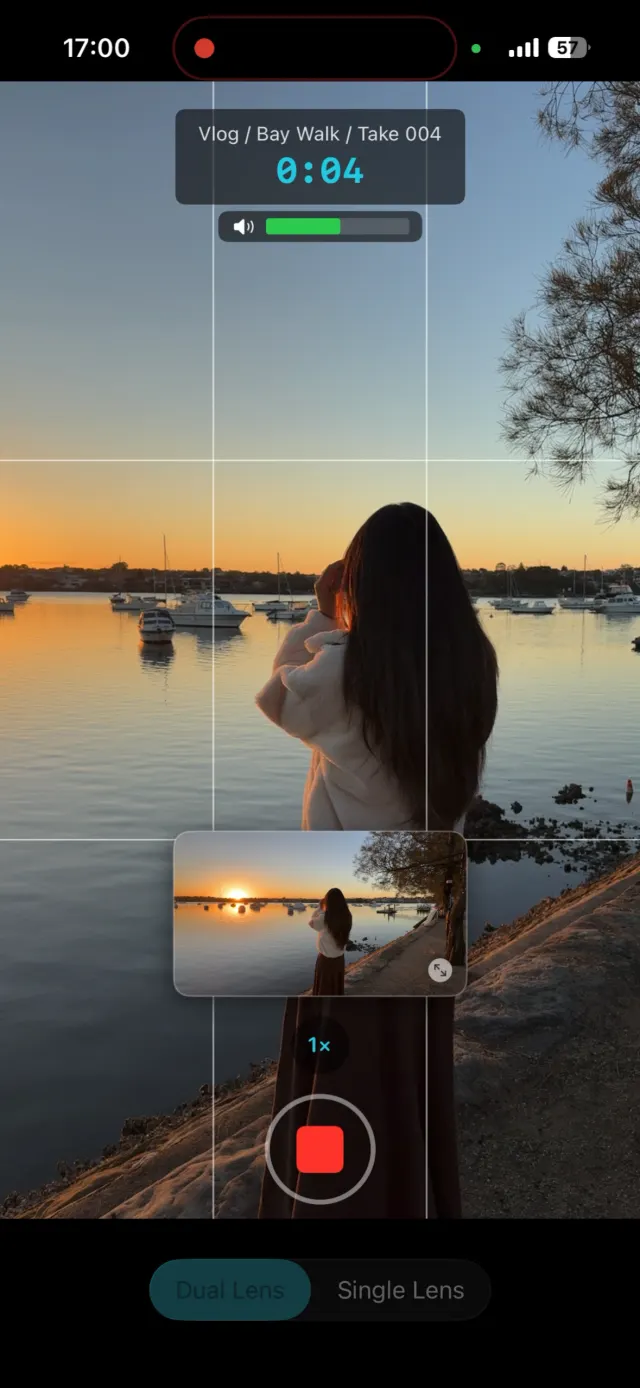
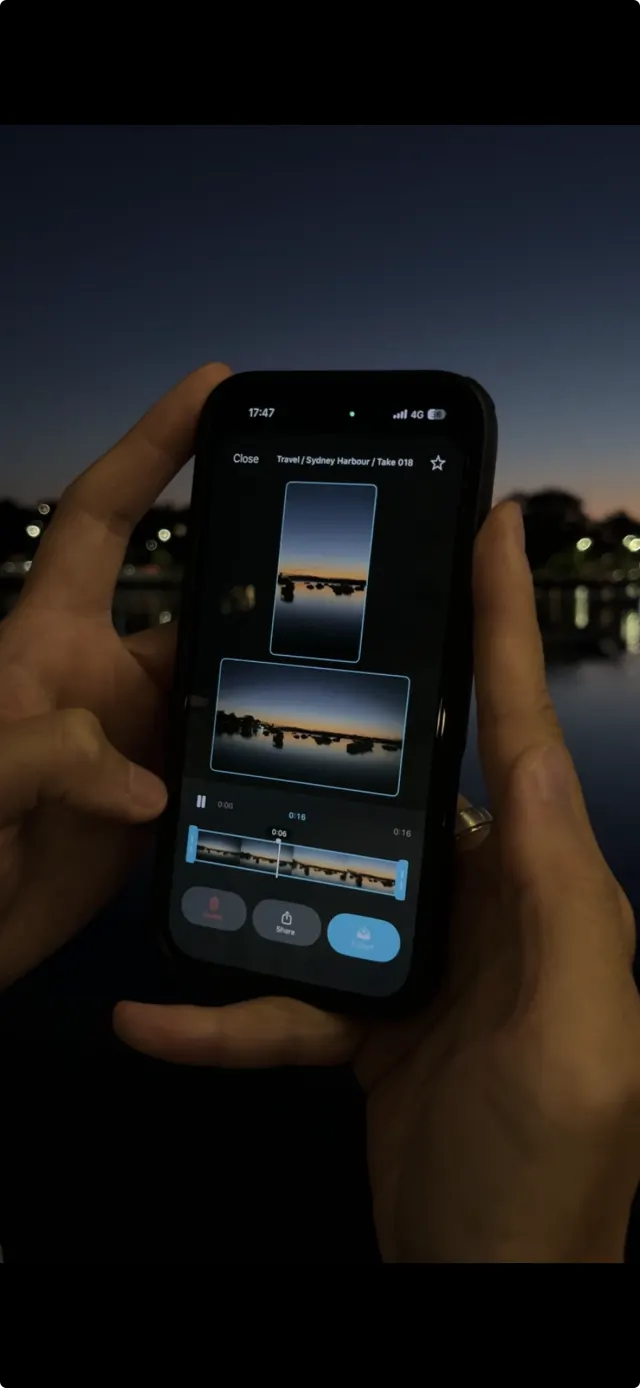
ContentCam's Front & Back mode records the selfie camera and the rear camera together, from one tap, and gives you two files rather than one baked-in layout. The rear camera can record vertical or horizontal (you choose), and the selfie is always vertical. Because the two are separate, you decide the layout afterwards: inset, split, cutaways between them, or two different posts from one take.
- Install ContentCam from Google Play and open it.
- Switch the recording mode to Front & Back.
- Choose whether the rear camera records vertical or horizontal.
- Frame the rear shot, then record once. Both cameras roll on the same timeline, so the reaction and the scene stay in sync.
- Review the two clips side by side, trim, and export.
Front & Back is a premium mode with 5 free recordings to try it first. Like the rest of the app on Android, it works from what your phone's camera actually reports it supports. The free tier still records dual-format video: a 9:16 portrait and a 16:9 landscape file from one take, which is a different problem covered in recording portrait and landscape at the same time on Android.
Which route should you use?
- You have a supported Galaxy and want a finished clip fast: use Dual recording in the stock Camera app. Pick picture-in-picture or split and post it as it is.
- You want to edit the two angles separately, or you're on a Pixel or another brand: use an app that saves two files.
- You just want your face in a corner for one Story: Instagram's own Dual camera may be enough, as covered in the main dual camera guide.
Shooting it well
- Light your face. The selfie camera is the weaker one and gets noisy in a dim room long before the rear camera does. Face a window or a lamp.
- Keep your voice close. The phone mic favours whoever is nearest. If you step back to show something, your voice drops, so come closer for the lines that matter.
- Lock exposure if you move between light. Walking from a bright window into a dark room makes both cameras hunt. The Android camera settings guide covers what your phone lets you lock.
- Watch the heat. Two cameras at once is hard work for a phone. For long takes, keep it out of direct sun and take the case off.
FAQ
Can a Google Pixel record the front and back camera at the same time?
Not in Pixel Camera. Dual screen preview on the Pixel Fold models uses the two screens, not two cameras. Use a front and back camera app on a Pixel that supports concurrent cameras.
Does Samsung Dual recording save two separate files?
Usually it saves one video with the layout baked in. Samsung says the Galaxy S22 and S23 can save separate selfie and rear files if you set it before recording.
Is ContentCam's Front & Back mode free on Android?
The app and its dual-format recording are free. Front & Back is premium, with 5 free recordings to try it.
Why can't my phone record both cameras at once?
The phone's hardware has to support running the front and rear cameras together, and it reports that to apps through getConcurrentCameraIds() on Android 11 and later. If it doesn't, no app can record both through the official route.
Try ContentCam free. Front and back in one take as two separate files, plus vertical and wide from a single shoot. Free to download on Android and iPhone.


Related: the full guide to using the front and back camera at the same time · recording portrait and landscape at the same time on Android · the iPhone version of this guide · taking a front and back photo at once · ContentCam for Android.