DualShot Recorder vs ContentCam: An Honest Comparison (2026)
Disclosure first: I build ContentCam, one of the two apps here, so I'm not a neutral party. Read it with that in mind. I've kept the factual claims about DualShot Recorder to what its own App Store listing and paywall show, and where I give an opinion from actually using it, I flag it as mine. If anything's out of date, email me and I'll fix it.
DualShot Recorder (you'll also see it written "Dual Shot Recorder") is the app that put "record vertical and horizontal at the same time" on the map in early 2026. Credit where it's due: it got big fast. A lot of that came from its creator already having a sizeable online following. That's real, hard-won distribution, and it's why you've probably heard of it. But a big launch audience and the better app aren't the same thing. So let's actually compare them.
At a glance
| ContentCam | DualShot Recorder | |
|---|---|---|
| Platforms | iPhone + Android | iPhone only |
| Records 9:16 + 16:9 in one take | ✓ | ✓ |
| Dual Lens mode (two cameras at once) | ✓ (iPhone 11+) | Front and back, per its listing |
| Full-FOV 4:3 capture (not a centre crop) | ✓ | No |
| Manual controls | Exposure, white balance (2500–8000K), ISO, shutter | ISO (manual ISO only, per its listing) |
| Apple Log | Not yet | ✓ |
| Teleprompter | ✓ | ✓ |
| Timelapse · 4K · 60fps | ✓ | ✓ |
| Project / scene / take workflow | ✓, auto file naming | No |
| Data collection | None: no analytics, no SDKs, no account | See its App Store privacy label |
| One-time / lifetime option | ✓ Available | Removed: subscription only now |
| How you buy it | Free tier · monthly · annual · one-off lifetime | Free tier · monthly · annual |
The big difference: single lens vs single and dual lens
DualShot added front and back capture during 2026, so this is no longer a clean split. Its listing describes front and back camera support and manual ISO; it does not say whether the two crops come from the full sensor. Worth knowing where it is in its cycle, though: the last release that added anything was 2.3 on 11 April 2026 (teleprompter, manual ISO, stabilisation). Since then, 3.0 on 2 May moved it to free-with-subscriptions, and 3.1, 3.1.1 and 3.1.2 through to 6 June are all listed as bug fixes and performance improvements. ContentCam does that too (it's the free mode), but on iPhone 11 and later it also has Dual Lens mode: the wide and ultra-wide cameras recording at the same time, so your portrait and landscape can be genuinely different framings: a tight vertical and a wide establishing shot from one tap.
And in single-lens mode, ContentCam records the sensor's full 4:3 frame and cuts both formats from it, so the landscape keeps its full width at full resolution instead of being a centre strip. That's the difference between a real wide shot and a zoomed-in one.
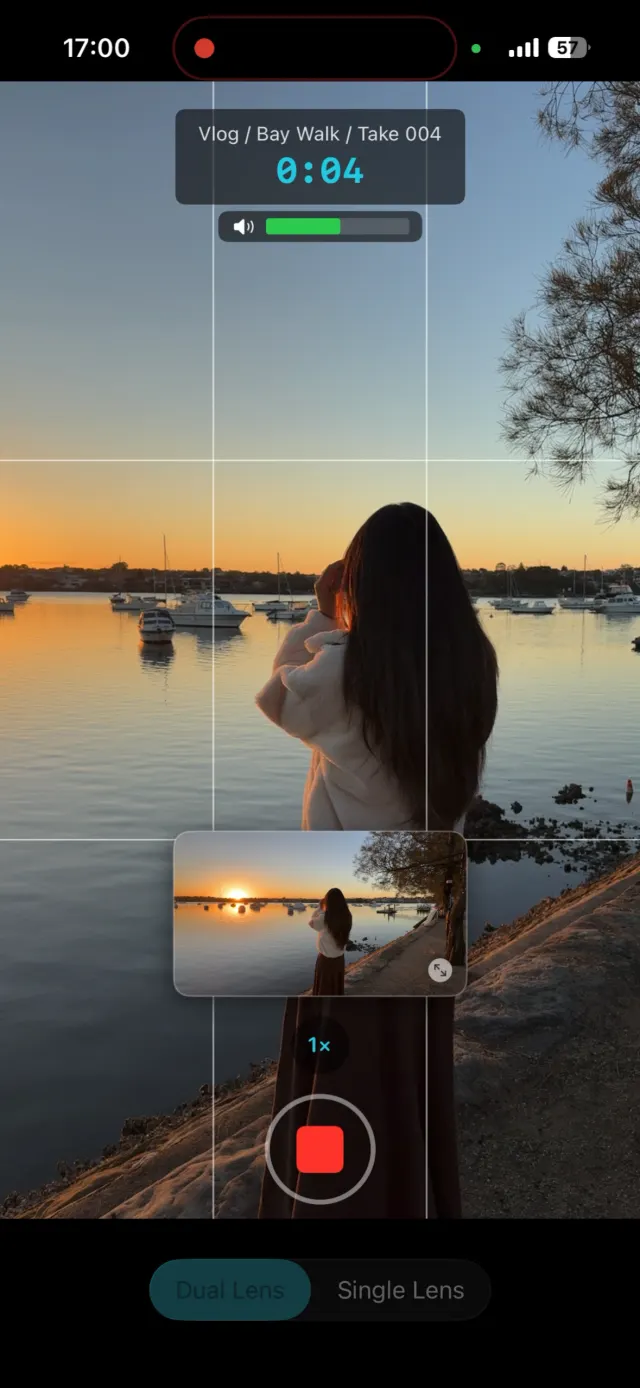
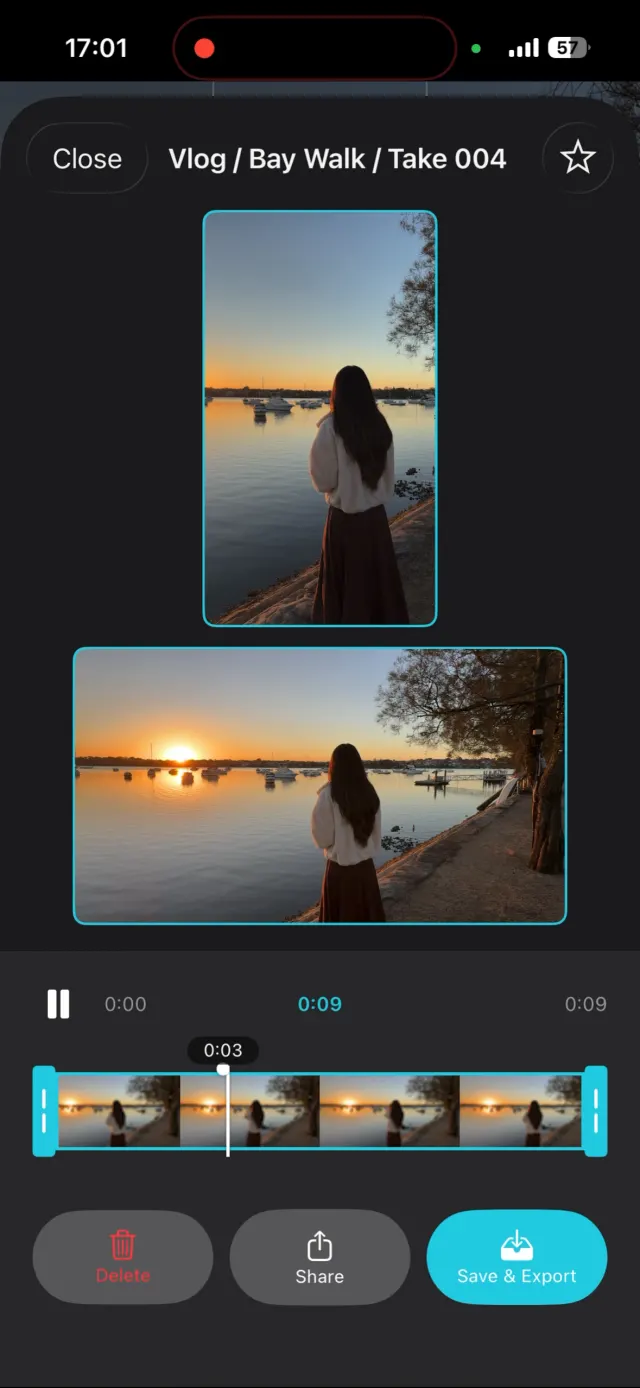
ContentCam's record and review screens: both framings while you shoot, then a clean side-by-side review.
Polish and completeness (my honest opinion)
Feature lists only get you so far; how the app feels matters when you use it every day. Having spent real time in both, this is where I think the gap is widest. And yes, I'm biased, so take it as one developer's read and go try them yourself:
- ContentCam is the more finished app. Dual Lens, the full manual panel (exposure, white balance, ISO and shutter), the project/scene/take workflow with automatic file naming, side-by-side review. It's built to be the complete tool, not a one-trick demo. I've put a lot of care into it, and I genuinely think it's the best dual-camera recording app out there right now.
- DualShot feels more basic in use. In my testing the picture-in-picture preview lags, the record button sits slightly off-centre, and the interface is sparser overall. None of that is fatal, but the little rough edges add up when you shoot regularly. Try it and judge for yourself.
Where DualShot Recorder genuinely wins
No hedging. These are real advantages today:
- Apple Log. If you grade seriously, DualShot captures Log and ContentCam doesn't yet. For a colourist that can be the whole decision.
- Cheaper subscription. Its annual plan undercuts ContentCam's. If you're iPhone-only and price is the deciding factor, that's fair. Check both store listings for the current figures in your region.
- Name recognition. It's the one people have heard of. That's worth something if you just want the app everyone's talking about.
The pricing shift worth knowing about
One thing that isn't on the surface: DualShot Recorder launched as a one-time purchase, and has since moved to subscription only, with no lifetime option anymore. That's their call to make, and subscriptions are normal. But if you're the kind of person who'd rather buy a tool once than rent it, it's worth knowing the one-time option is gone there. ContentCam deliberately keeps a lifetime option (one payment, forever) alongside the subscriptions. I ship new features to it for free, and I'd rather you own the app than rent it.
So which should you download?
Both are free to try. Record the same scene in each and compare. But if you want the shortcut:
| If you… | Pick |
|---|---|
| Shoot on Android, or across iPhone + Android | ContentCam (the only option) |
| Want two cameras / two framings at once (Dual Lens) | ContentCam |
| Grade in Apple Log | DualShot Recorder |
| Want the fuller manual panel (adds shutter + exposure) | ContentCam |
| Batch-film and want a project workflow | ContentCam |
| Want a one-time / lifetime purchase, not a subscription | ContentCam |
| Care about zero data collection | ContentCam |
| Want the cheapest iPhone-only subscription | DualShot Recorder |
The one test that settles it
Whatever you're weighing, record one take and compare the two landscape files. Does the wide version show more of the scene than the vertical did, at full sharpness, or is it a zoomed-in strip of the vertical? That single check tells you more than any feature list. ContentCam is built so the answer is "more of the scene" (here's why); one test recording shows you immediately.
Try ContentCam free. Record a take, look at both files, compare it to whatever else you're using. On iPhone and Android.


DualShot Recorder details are from its App Store listing and in-app paywall, checked 6 July 2026; prices and features drift over time. Related: the full dual-format category compared · Blackmagic Camera vs ContentCam.