How to Record Long Videos on iPhone Without Overheating
To record a long video on iPhone without overheating, drop to 1080p at 30 fps, take the case off, keep the phone out of direct sun, don't charge it while you record, and turn on Airplane Mode if you don't need the network. Apple designs iPhone for use between 0 and 35°C (32 to 95°F). Above that, or after a long stretch of camera use, iOS starts slowing the phone down to protect it, and in the worst case the camera shuts off mid-take.
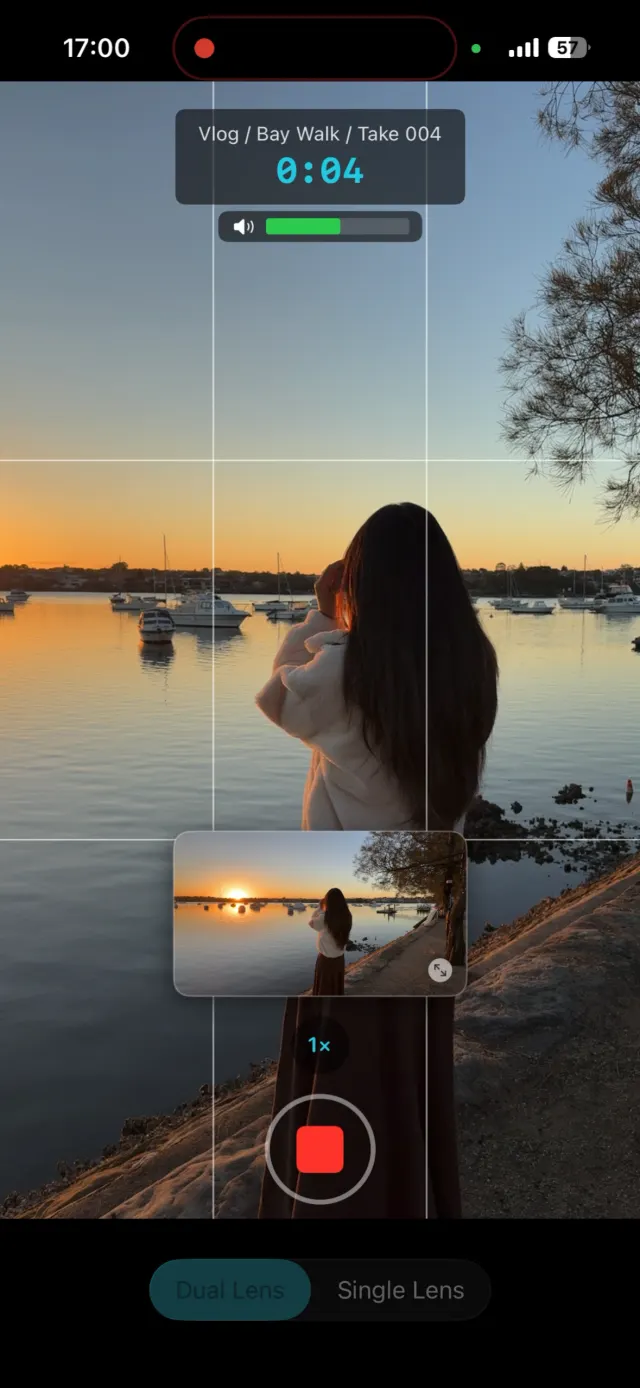
Why does an iPhone overheat when recording video?
Because recording video is heavy work. The camera sensor, the image processing, the video encoder and the screen all run at the same time, for as long as the take lasts. Apple's support article "If your iPhone or iPad gets too hot or too cold" lists "processor-intensive apps, games, or features, including camera apps" among the things that make an iPhone feel warm, and calls that normal.
The same article names the combination that pushes it further: "using the camera for an extended period of time" in hot conditions or direct sunlight. A 20 minute talk to camera on a sunny balcony is exactly that.
What happens when an iPhone gets too hot while filming?
iOS steps in to protect the hardware. Apple's article lists what you might notice:
- Charging slows or stops.
- The display dims or goes black.
- "The camera flash or other camera features might be temporarily disabled."
- "In some apps or features, performance is reduced with lower frame rates or increased processing times."
Under the hood, iOS reports four thermal states to apps: nominal, fair, serious and critical. Apple's developer documentation says that at critical "the device needs to cool down," and tells apps to stop using peripherals "such as the camera, flash, microphone, and speaker" if they can.
The camera has its own gauge as well, called system pressure. It tracks factors including system temperature, camera module temperature and peak power demand on the battery. At the critical level Apple says "capture quality and performance are significantly impacted." One level above that, at shutdown, "the capture system automatically shuts down." That is the moment a recording stops on its own.
Which iPhone camera settings run cooler?
Lower resolution and lower frame rate. Apple's own advice to camera apps under critical system pressure is to reduce the frame rate, and the arithmetic shows why. 4K at 60 fps is 3840 × 2160 × 60, about 498 million pixels a second. 1080p at 30 fps is 1920 × 1080 × 30, about 62 million. That is 8 times less for the phone to process and encode.
Change it at Settings > Camera > Record Video. For TikTok, Reels and Shorts, 1080p at 30 fps is enough: the apps re-encode your upload anyway. If you are not sure you need 4K, do you actually need to film in 4K? walks through it.
How do you keep an iPhone cool on a long shoot?
- Take the case off. A case, especially a thick one, holds heat against the back of the phone.
- Get out of direct sunlight. Apple names it twice. Film in shade, or put the phone in shade and the subject in light.
- Don't charge while you record. Apple lists wireless charging as something that warms the phone, and charging is one of the first things iOS throttles when it gets hot. Start the shoot charged instead.
- Turn on Airplane Mode if you are not streaming. Apple notes the cellular radios drop to a low-power state when the phone is too hot, so they are part of the load.
- Turn the screen brightness down. The display runs for the whole take, and you only need to see the framing.
- Break a long piece into several takes. Stop between sections and let the phone rest while you check the next part of your script.
Don't put a hot iPhone in a fridge or freezer. Apple's steps are to turn the iPhone off, move it somewhere cooler away from direct sunlight, and let it cool down.
Why didn't my video save after the iPhone got hot?
Often because the recording app was stopped before it could finish writing the file. A video file normally gets its index written when you press stop. If the app is closed, crashes or loses the camera before that, a long take can be unreadable. Several 1-star App Store reviews of dual recording apps describe exactly this: a 20 minute take that never saved.
The protection is an app that writes the file in small fragments as it goes, so anything already recorded stays playable. ContentCam writes every recording in one-second fragments. It also watches the iPhone's thermal state: at serious it shows a warning that the device is getting hot, and at critical it stops the recording itself and finishes the file, rather than waiting for iOS to cut the camera off.
What temperature is too hot for an iPhone?
Apple's figures: use iPhone where the ambient temperature is between 0 and 35°C (32 to 95°F), and store it between -20 and 45°C (-4 to 113°F). Apple warns that "temperatures in parked cars can exceed this range," and that "using an iOS or iPadOS device in very hot conditions can permanently shorten battery life." If a temperature warning screen appears, turn the iPhone off and let it cool before you film again.
FAQ
Why does my iPhone get hot when recording video?
Recording is processor-intensive work: the camera, the video encoder and the screen all run at once. Apple lists camera apps among the things that normally make an iPhone warm, and warns against using the camera for a long time in hot conditions or direct sunlight.
Is it bad for an iPhone to overheat while filming?
iOS protects the internal parts by slowing down, dimming the screen and disabling features such as the flash. Apple also says using an iPhone in very hot conditions can permanently shorten battery life, so it is worth avoiding.
Does 4K make an iPhone overheat faster?
It gives the phone more work. 4K at 60 fps is 8 times the pixels per second of 1080p at 30 fps. For a long take, 1080p at 30 fps is the easier load, and it is plenty for TikTok, Reels and Shorts.
What temperature is too hot for an iPhone?
Apple designs iPhone for use between 0 and 35°C (32 to 95°F) ambient temperature, and for storage between -20 and 45°C (-4 to 113°F). Above that range, expect the phone to throttle or show a temperature warning.
How do I cool down an overheated iPhone?
Follow Apple's steps: turn the iPhone off, move it somewhere cooler and out of direct sunlight, and let it cool down before using it again.
Try ContentCam free. It warns you when the iPhone is getting hot and saves the take if it has to stop. Free to download on iPhone and Android.


Related: why iPhone video looks choppy in low light · do you actually need to film in 4K? · High Efficiency vs Most Compatible · filming outdoors in wind, backlight and bright sun.